Satellite Internet at Sea: Starlink vs Iridium vs Inmarsat
For most cruising sailors in 2026 the answer is a Starlink Mini for everyday broadband, backed by an Iridium device — a GO! exec or an inReach Mini 2 — for genuine global coverage when the broadband plan runs out of ocean. Inmarsat remains the professional's network, and it makes sense for commercially operated boats, but it is a hard sell for a private cruiser against that pairing.
The reason this question is confusing is that the three networks are not competing on the same axis. Starlink competes on bandwidth and price, Iridium competes on coverage certainty, and Inmarsat competes on established maritime service and support. Below we explain how each network actually works at sea, what the plans really cost once you leave the coast, and how to combine them without paying twice for the same capability.
Sailboat Atlas may earn a commission from qualifying purchases made through links on this page, at no extra cost to you.
How the three satellite networks actually differ
Starlink is a low-earth-orbit (LEO) constellation: thousands of small satellites a few hundred kilometres up, passing overhead quickly. Because they are close, the round-trip delay is low and the achievable bandwidth is high, which is why video calls work. Because they move fast, you need a phased-array antenna that electronically re-aims itself many times a second — that flat panel is doing continuous beam steering with no moving parts.
Iridium is also LEO, but with a much smaller constellation of larger satellites in polar orbits that cross-link to each other in space. That architecture is why Iridium reaches the poles and the middle of every ocean, and also why its bandwidth is narrow: the same design that guarantees a satellite is always overhead means each one is serving a very large footprint.
Inmarsat is geostationary: a handful of large satellites parked over the equator at roughly 36,000km, each covering a third of the planet. The satellite never appears to move, so a stabilised dome can track it easily and service is highly predictable — but the distance adds latency, and above roughly 70 degrees of latitude the satellite sits so low on the horizon that the link becomes impractical.
Those three architectures explain nearly every practical difference you will encounter. Bandwidth follows satellite proximity and constellation size, coverage follows orbit geometry, and price follows how much capacity each network has to sell.
What offshore coverage really costs
The single most common mistake is budgeting for hardware and forgetting the airtime. Terminal prices have collapsed; service prices have not, and for offshore use the monthly plan will dominate your total cost within the first season.
On the LEO broadband side, the consumer-priced plans are written for land and near-coastal use. Take that same hardware two hundred miles offshore and the service simply stops unless you have upgraded to a tier that includes ocean coverage — and those tiers are priced for commercial vessels, running to several hundred dollars a month or more depending on data allowance. Many cruisers manage this by switching plans seasonally: a cheap plan while coastal, an ocean-capable plan for the month of a crossing, then back down.
Narrowband global services bill differently: a low monthly fee plus per-minute voice and per-megabyte or per-message data. Used as intended — GRIB weather, compressed email, a call home from mid-ocean — the annual cost is modest. Used carelessly, with a phone quietly syncing photos in the background, it is catastrophic. Every offshore boat running Iridium should have the connected devices locked down before the link is opened.
Traditional geostationary maritime airtime sits in between on price and below both on speed. Its value is contractual reliability and support rather than bytes per dollar, which is precisely why the commercial fleet still buys it and most cruisers no longer do.
Power, mounting and the realities of installation
A flat-panel broadband terminal is not a large load by household standards, but it is a continuous one, and continuous loads are what empty house banks. A compact panel in the tens of watts will consume a meaningful slice of a day's solar harvest if you leave it running from breakfast to bedtime; a full-size panel more than that. Work the number out in amp-hours per day and compare it to your actual harvest in the season you cruise, not the best day in July.
Mounting deserves the same care you would give a radar. The panel needs an unobstructed view of the sky, which on a sailboat means clear of the mainsail, the boom, and the shadow of the mast when heeled. It needs a base that will survive a boarding wave — a rail clamp rated for a camera is not that. And the cable needs a proper deck gland: more terminals are killed by water tracking down a cable through an improvised hole than by anything the weather does to the antenna itself.
Keep separation from your VHF antenna and radar. There is no dramatic interference problem in practice, but a radar beam at close range is genuinely energetic, and stacking every antenna on one small arch section makes servicing any of them miserable. Plan the arch layout once, properly, alongside your radar and solar installation rather than bolting things on one at a time.
Building a layered communications plan
Think in layers rather than picking a winner. Layer one is your legally required and safety-critical equipment: a DSC VHF, and offshore a registered EPIRB. None of that is negotiable and none of it is replaced by internet access.
Layer two is the always-works link: a handheld or portable Iridium device that has its own battery, works anywhere on earth, and can leave the boat with you. An inReach Mini 2 covers the messaging and SOS case cheaply; a GO! exec adds voice and enough data for real weather routing.
Layer three is bandwidth: the broadband terminal that makes the boat feel like home and lets people keep their jobs. It is the most useful layer 95% of the time and the least dependable in the 5% that matters, which is exactly why it sits on top rather than at the bottom.
Built that way, the failure of any one layer is an inconvenience rather than an emergency — and you avoid the trap of paying for premium ocean bandwidth in order to buy a level of reliability that a cheap handheld already provides.
Weather routing: the one job worth paying for
If you strip everything else away, the reason offshore boats carry satellite communications is weather. A compressed GRIB file for a passage area is measured in tens of kilobytes, which is trivially affordable on any of these networks, and the decision it informs — leave now, wait two days, or divert — is worth more than every other use of the link combined.
Set your routing software up and test the whole chain in the marina, on the actual satellite link, before you need it. The common failure is not the satellite: it is a mail account that will not authenticate over a narrowband connection, or a routing app that silently tries to download a full-resolution model. Confirm the file sizes you are requesting, and know how to reduce the grid resolution and forecast horizon when conditions or costs demand it.
Pair that with a receive-only weather fax or SSB broadcast habit if you sail genuinely remote areas. It costs nothing per use and it is the only weather source that keeps working when both your subscriptions lapse mid-passage.
Our picks
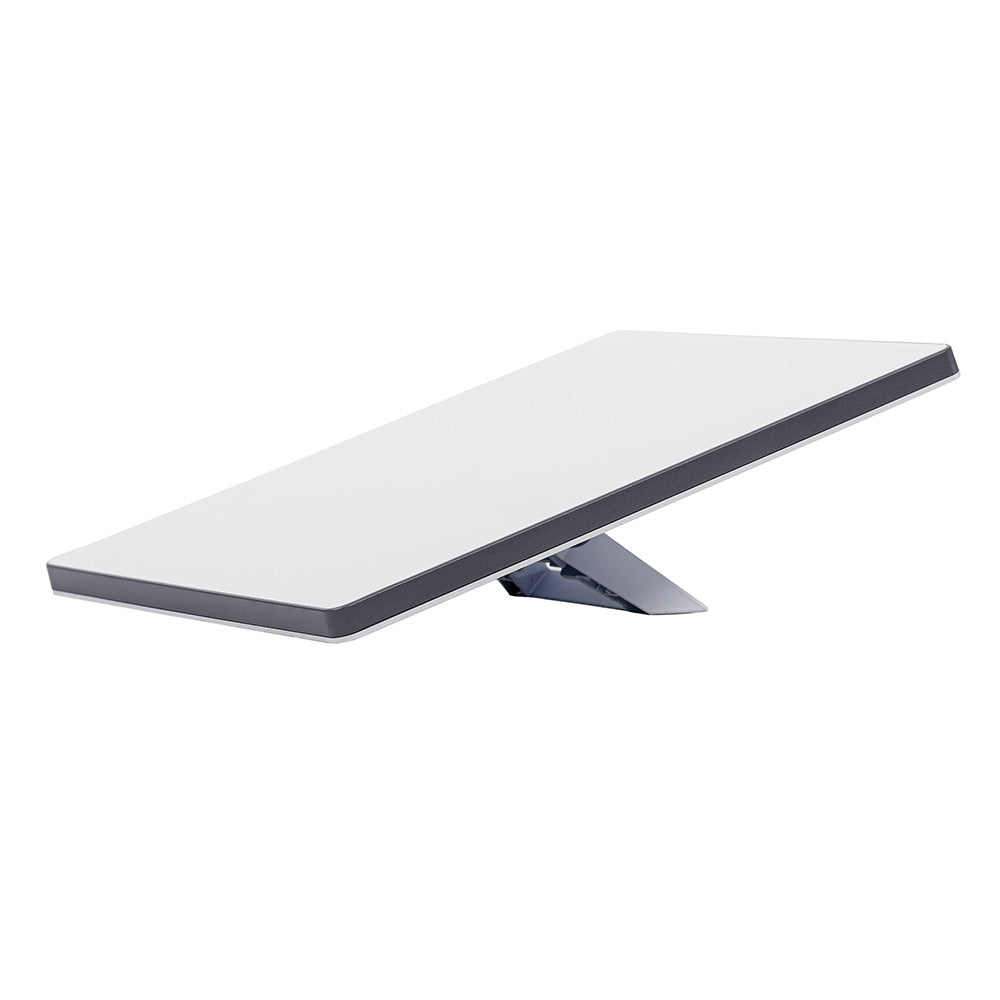
Starlink Mini
Best all-round satellite internet for coastal and near-offshore cruising
For the majority of cruisers — coastal hopping, island chains, marina-to-marina with occasional overnight passages — the Mini is the unit to start with. It is small, it is cheap to buy relative to any traditional marine terminal, and its power draw is compatible with an ordinary house bank. The catch is entirely on the service side: a consumer roaming plan will drop you when you get far enough from land, and moving to a plan with real ocean coverage is where the monthly cost climbs steeply. Buy the hardware on the assumption that your plan will change with your cruising ground.
- Type
- Low-earth-orbit (LEO) flat-panel phased-array terminal with integrated Wi-Fi router
- Size / power
- Roughly tablet-sized panel; runs on 12V DC through a supported adapter, typically drawing on the order of 20-40W in use
- Typical speeds
- Tens of megabits per second download in good coverage — video calls and streaming are realistic
- Service plans
- Consumer Roam-style plans with land and coastal coverage; offshore water coverage requires a maritime/ocean-capable plan at a much higher monthly cost
Pros
- Genuinely broadband speeds at a price that was impossible on marine satellite five years ago
- Small enough to stow below and set on the coachroof or a rail mount only when you need it, which suits boats without a spare radar-arch position
- Low 12V draw compared with earlier VSAT domes, so a modest solar-and-lithium boat can run it without a generator
Cons
- Coverage over open ocean depends entirely on which plan you buy — the cheap plans stop working a short distance offshore, and the ocean-capable tiers cost several times more per month
- It is a data pipe, not a distress system: no GMDSS role, no guaranteed link, and no help if the panel gets doused or the power fails
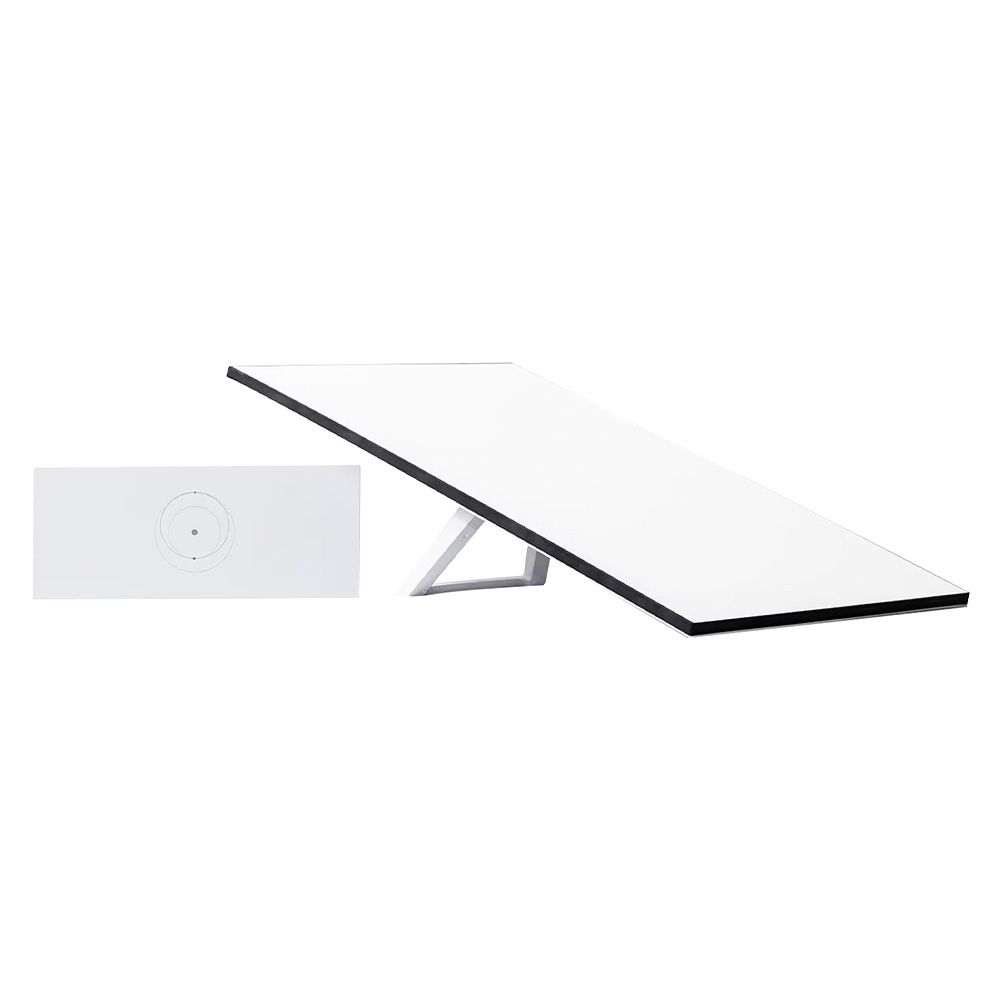
Starlink Standard Kit
Best fixed-mount broadband for liveaboards and larger cruising boats
If you are living aboard and working online, the full-size panel is the better long-term buy. The larger antenna aperture gives you more margin in marginal conditions — squalls, low satellite passes, heeled sailing — and permanent mounting means it just works without you handling hardware in the cockpit every morning. Weigh it against your arch space and your energy budget honestly: adding a Starlink Standard to a boat that is already tight on solar is how people end up running the engine to charge, which defeats the point of a quiet anchorage.
- Type
- Full-size flat-panel LEO terminal, wider aperture than the Mini
- Mounting
- Designed for a permanent flat or rail mount; needs a clear sky view and a solid, vibration-tolerant base
- Power
- Higher continuous draw than the Mini — plan for a meaningful daily amp-hour budget if it stays on
- Performance
- Larger antenna generally holds a link better in marginal coverage and heavy weather than the Mini
Pros
- Bigger aperture means a more stable connection at the edges of coverage and in rain — useful if you actually work from the boat
- Permanent mounting removes the daily ritual of setting up and stowing a portable panel
- Same service ecosystem as the Mini, so you can move plans up and down as your cruising changes
Cons
- Needs real deck real estate and a proper mount — on a 35-footer with davits, an arch and solar, there may simply be nowhere sensible to put it
- Meaningfully more power-hungry than the Mini, which matters on a solar-only boat at anchor in winter
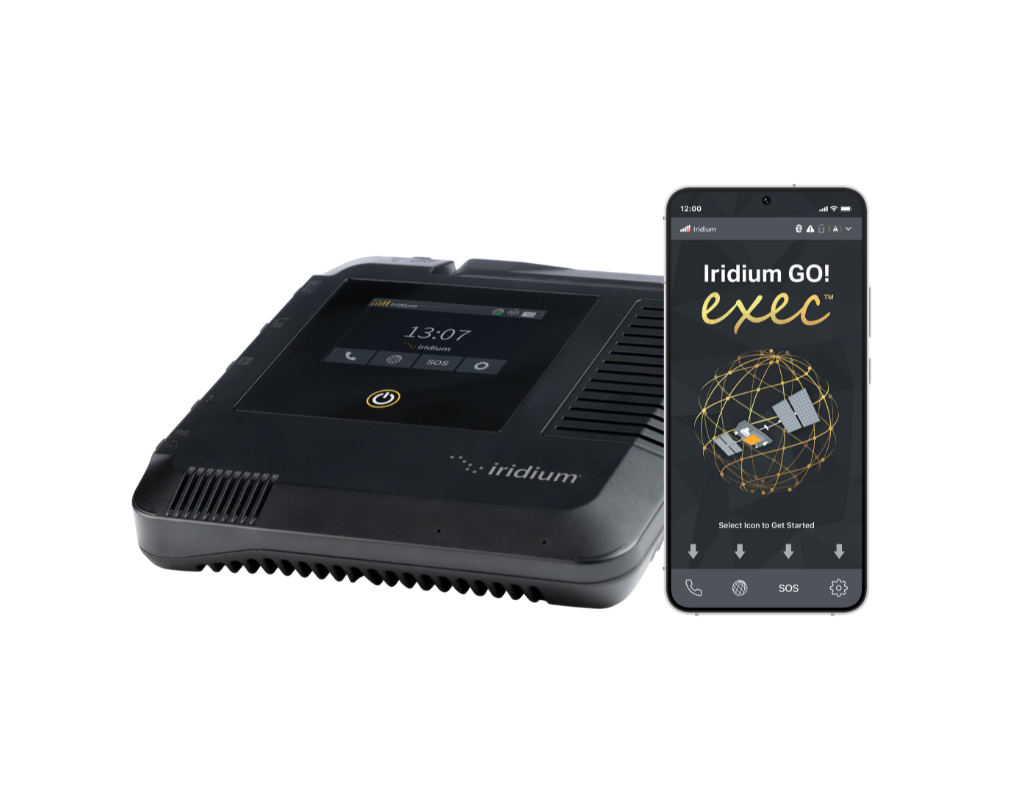
Iridium GO! exec
Best truly global backup link for offshore passages
This is the unit most bluewater sailors end up owning alongside, not instead of, a broadband terminal. Its value is coverage certainty: the Iridium constellation genuinely covers the entire planet, so your weather routing and your ability to reach shore do not depend on being inside a coverage polygon someone drew on a map. Buy it for GRIB downloads, routing correspondence and voice calls when it matters, keep the data plan small, and treat any month where you burned real bandwidth on it as a sign you should have waited for the broadband link.
- Network
- Iridium low-earth-orbit constellation with genuine pole-to-pole global coverage
- Data
- Narrowband — suited to email, GRIB weather files, messaging and voice, not streaming or video calls
- Interface
- Creates a small Wi-Fi hotspot so phones and tablets use dedicated apps for calls, messages and mail
- Portability
- Self-contained handheld-sized unit with internal battery; no fixed installation required
Pros
- Works everywhere, including high latitudes and mid-ocean where every geostationary and most consumer LEO plans go dark
- Battery-powered and portable — it can go in the grab bag, which no fixed dome can
- Ideal partner to Starlink: cheap enough to keep on a low-usage plan purely as the offshore fallback
Cons
- Bandwidth is a fraction of broadband — think compressed GRIBs and text email, and expect to manage every megabyte
- Per-minute and per-megabyte pricing punishes casual use; it is a tool, not a general internet connection
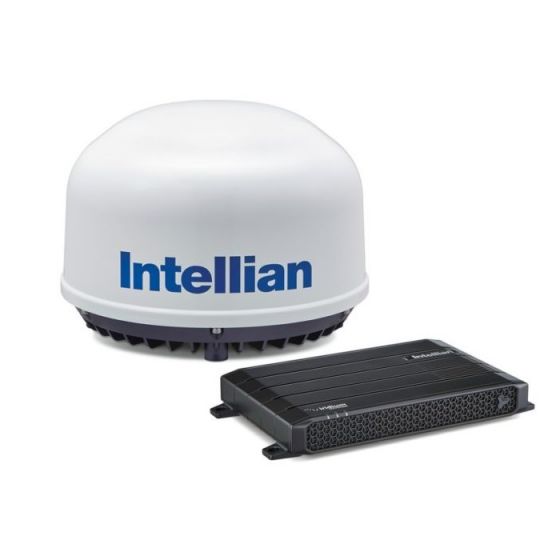
Intellian C700 (Iridium Certus 700)
Best always-on global service for serious offshore and high-latitude boats
Certus 700 is what you specify when a lost connection is an operational problem rather than an inconvenience: high-latitude expedition sailing, delivery and charter operations, or ocean racing with media obligations. The Intellian C700 packages that service in a marine terminal designed to hold a link with the boat pitching and rolling. It is the wrong purchase for a cruising couple who mainly want to video-call family from an anchorage — that is what Starlink is for — but the right one when you need a connection that does not care where on the chart you are.
- Service
- Iridium Certus 700 — the top broadband tier on the Iridium network
- Speeds
- Several hundred kilobits per second class service — comfortable for email, weather, VoIP and light web, not HD streaming
- Installation
- Fixed dome terminal with below-deck unit; professional installation and a dedicated mount are the norm
- Coverage
- Pole-to-pole, including high-latitude sailing where geostationary services fail
Pros
- Genuine global always-on service with no coverage gap at high latitude — the reason expedition boats specify Iridium over geostationary
- Multiple simultaneous voice and data sessions, so crew communications do not queue behind the weather download
- Purpose-built marine hardware with a stabilised installation, not a consumer product bolted to a rail
Cons
- Hardware and airtime run into the thousands — this is a five-figure decision over a couple of seasons, not a gadget purchase
- Speeds are modest by broadband standards; you pay for reliability and coverage, not raw megabits
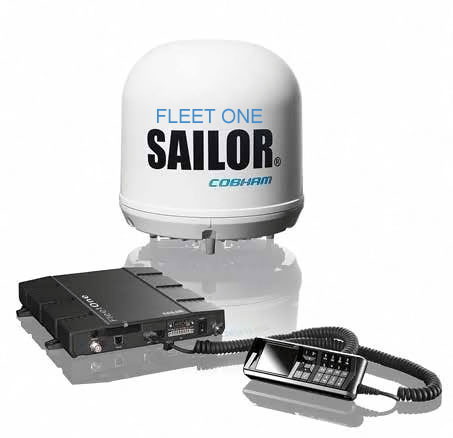
Cobham SAILOR Fleet One
Best entry-level Inmarsat terminal for coastal and regional voice plus data
Fleet One was Inmarsat's answer to smaller vessels wanting a real maritime satellite terminal rather than a handheld. It remains a sensible choice for boats operating commercially in mid-latitudes where a supported network, established airtime billing and a stabilised installation matter more than raw speed. For a private cruising boat in 2026, though, it is hard to justify against a Starlink terminal plus an Iridium handheld, unless your insurer, flag state or charter operation specifically wants an Inmarsat link on board.
- Network
- Inmarsat FleetBroadband family, geostationary satellites — coverage between roughly 70 degrees north and south
- Data
- Narrowband IP data plus a voice line; designed for email, weather and telephony
- Hardware
- Compact stabilised dome with below-deck unit, engineered for continuous marine service
- Distress
- Inmarsat maritime services have a long-established GMDSS pedigree; specific distress capability depends on the exact terminal and subscription
Pros
- Mature, professionally supported maritime network with decades of commercial service behind it
- Stabilised dome holds the link while the boat is moving, unlike a hand-aimed portable terminal
- Predictable regional coverage and airtime products that suit commercially operated boats
Cons
- Geostationary satellites sit over the equator, so coverage falls away at high latitude and the antenna elevation gets very low far north or south
- Bandwidth and pricing look poor next to LEO broadband for recreational use — this network is increasingly the professional's choice, not the cruiser's
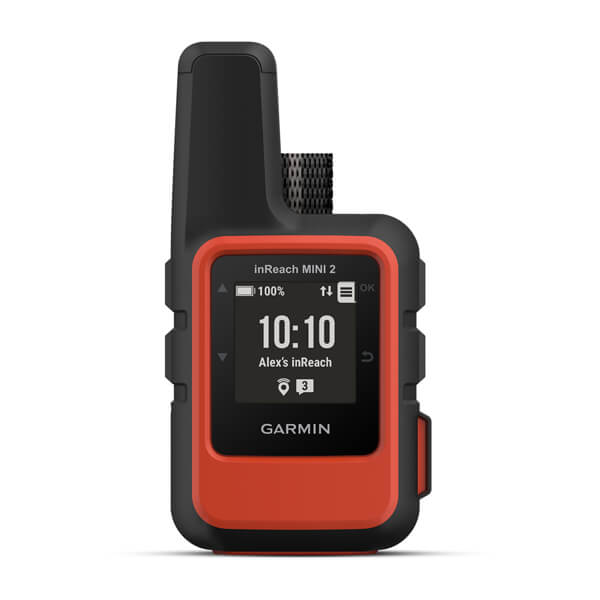
Garmin inReach Mini 2
Best low-cost satellite lifeline for two-handed and coastal sailors
The inReach Mini 2 solves a narrow problem extremely well: getting a short message to or from anywhere on earth, and raising help interactively if something goes wrong. Every cruising boat should arguably have one regardless of what else is fitted, because it is the only satellite device here you can hold in one hand while abandoning ship. It does not replace an EPIRB (see our guide to EPIRBs and PLBs) and it does not replace a data terminal, but as an inexpensive layer of redundancy it is hard to beat.
- Network
- Iridium — global two-way text messaging and SOS
- SOS
- Interactive SOS to the Garmin Response coordination centre, with two-way messaging during an incident
- Battery
- Rechargeable internal battery measured in days of tracking, not hours
- Cost
- Modest hardware price and the cheapest satellite subscription tier of anything here
Pros
- By far the cheapest way to have a genuine global two-way satellite link on board
- Small enough to clip to a lifejacket or live permanently in the grab bag
- Location tracking lets family ashore follow a passage without any effort from the crew
Cons
- Text messaging only — no meaningful data, no weather beyond basic forecast requests, no voice
- It is not a registered distress beacon: it complements an EPIRB rather than replacing one
How to choose
Choose by where you sail, then by how much bandwidth you truly need. Coastal cruisers are almost always best served by a compact broadband panel alone. Offshore sailors should add a global narrowband device before spending more on broadband. Only commercially operated or high-latitude boats have a strong case for a traditional fixed maritime terminal.
| Terminal | Typical hardware price | Best for | Key characteristic |
|---|---|---|---|
| Starlink Mini | Typically $300–$600 | Coastal and near-offshore cruising | Portable broadband, low power draw |
| Starlink Standard Kit | Typically $350–$600 | Liveaboards working online | Larger aperture, fixed mount, more power |
| Iridium GO! exec | Typically $1,200–$1,800 | Offshore passages | Global narrowband voice and data, portable |
| Intellian C700 (Certus 700) | Five figures installed | Expedition and commercial vessels | Always-on global service, high latitude capable |
| Cobham SAILOR Fleet One | Several thousand installed | Regional commercial operation | Geostationary Inmarsat voice and IP data |
| Garmin inReach Mini 2 | Typically $350–$450 | Every boat, as a backup | Global two-way texting and SOS, pocket sized |
Budget tiers
Under $1,000 total: a compact broadband panel on a coastal plan, plus an inReach Mini 2 on the cheapest subscription. This covers the overwhelming majority of cruising and is where most owners should start.
$1,500–$3,000: add a portable global voice-and-data terminal for offshore passages and keep the broadband panel for coastal use. This is the classic bluewater cruiser's kit and the point of diminishing returns for most private boats.
$10,000 and up: a fixed, stabilised maritime terminal with a professional airtime contract. Justified by high-latitude sailing, charter operations, or a genuine commercial requirement — rarely by wanting faster Netflix at anchor.
Whatever you fit, budget the airtime honestly and read our guides to satellite communications, EPIRBs and PLBs and VHF radios before deciding what the satellite link actually has to do.
Frequently asked questions
Does Starlink actually work in the middle of the ocean?
It can, but only on a plan that includes ocean coverage — and that plan costs several times what a coastal or land-roaming plan costs. Consumer plans are sold with land-based or near-shore coverage in mind and will stop working once you are far enough offshore. The hardware is identical; what you are buying with the more expensive tier is permission to use satellites over open water. Check current coverage maps and plan terms before a passage rather than assuming your existing subscription will follow you.
Should I choose Starlink or Iridium for offshore passages?
Most experienced offshore sailors carry both, and that is genuinely the right answer rather than a hedge. Starlink gives you bandwidth — weather models, video calls, remote work — while Iridium gives you coverage certainty and a device that runs on its own battery and fits in a grab bag. If you can only afford one and you are crossing oceans, the narrowband global device is the safer choice; if you are coastal cruising, the broadband terminal is far more useful day to day.
How much power does a satellite terminal use on a sailboat?
A compact flat-panel terminal like the Starlink Mini is typically in the tens of watts while active, which a modest solar array and a lithium bank can absorb. A full-size panel draws noticeably more, and running it continuously will show up clearly in your daily amp-hour budget. Handheld Iridium devices are negligible by comparison because they spend most of their time asleep. Before installing anything permanent, work out your daily consumption and check it against our guides to marine solar panels and lithium batteries.
Can satellite internet replace an SSB radio?
For weather and correspondence, largely yes — GRIB files over a satellite link are faster and more reliable than a Pactor modem, which is why SSB use for email has declined sharply. What satellite does not replace is the community aspect: cruiser nets, informal position reporting between boats, and the ability to reach another vessel over the horizon without any subscription at all. Some long-distance sailors keep a receive-only SSB for weather broadcasts as a zero-dependency backup.
Is any of this equipment part of GMDSS distress?
Starlink is not — it is a commercial data service with no distress role whatsoever. Inmarsat has a long-established GMDSS pedigree and Iridium has been approved for GMDSS service, but whether a specific terminal on your boat provides that function depends on the exact model and subscription, not the network name. For distress, rely on a registered EPIRB, a DSC-equipped VHF, and where fitted a proper GMDSS terminal — never on an internet connection.
Do I need a special marine mount for a flat-panel terminal?
You need something that keeps the panel level enough to see sky, is strong enough for green water and a knockdown, and does not fatigue at the fasteners. Purpose-made marine rail and arch mounts exist and are worth the money; a cheap camera-tripod bracket on a stanchion is how panels end up over the side. Mount it clear of the boom's swing and away from radar and VHF antennas, and take the cable through a proper deck gland rather than a hatch.
Looking for more gear guides? Browse all our gear recommendations or the full guides index.