NMEA 2000 Setup for Sailboats: Wiring Guide
Sailboat Atlas may earn a commission from qualifying purchases made through links on this page, at no extra cost to you.
NMEA 2000 vs. NMEA 0183 vs. Ethernet
NMEA 0183 is the older serial standard: single-direction, single-talker-to-multiple-listener wiring, low data rate, and a rat's nest of wire pairs if you have more than a few instruments. It still shows up on older boats and some legacy sensors, and it isn't going away entirely — it's cheap and simple for a single-purpose link like a wind instrument talking to one display.
NMEA 2000 replaces that with a shared bus, similar in concept to automotive CAN bus networking. Every device — GPS, depth, wind, autopilot, engine interface, battery monitor — plugs into a common backbone and can see every other device's data. Add a new instrument and every existing display can use it without rewiring anything. This is the standard covered in this guide.
Ethernet (NMEA OneNet or proprietary MFD networks) is a separate, higher-bandwidth layer used between multifunction displays, radar domes, and sonar modules on larger installations. It carries data too heavy for NMEA 2000's low bit rate — radar sweeps, chart imagery shared between multiple plotters. Most cruising boats with two or more chartplotters run Ethernet between the plotters and NMEA 2000 for everything else, bridged through the MFDs.
Vendor naming: it's all the same network underneath
One of the most confusing things for a first-time installer is that NMEA 2000 goes by different brand names with different-shaped connectors. Simrad and B&G call it SimNet. Raymarine calls it SeaTalkNG. Garmin uses the standard Micro-C connector shape directly. Underneath, all of them are electrically identical NMEA 2000 — the same five conductors (power, ground, two data, shield), just terminated in different plastic housings.
This means you can build a network with a Garmin chartplotter, a B&G wind instrument, and a Raymarine autopilot, and it will work — you just need the right adapter cables (Garmin-to-SimNet, SimNet-to-SeaTalkNG, etc.) at the connection points. Chandleries stock these adapters because mixed-brand refits are the norm, not the exception, on boats that have been upgraded incrementally over the years.
Backbone and drop-cable topology
Every NMEA 2000 network has the same basic shape: a single backbone cable runs the length of the boat, and each device connects to it via a short drop cable through a T-connector spliced into the backbone. Devices never connect directly in series with each other — the backbone is always a single continuous run with T's branching off it, not a daisy chain of instrument-to-instrument cables.
A typical layout runs the backbone from a T-connector near the mast base (for a wind instrument and masthead light data), aft through the cabin overhead or under the side deck, past the nav station (chartplotter, VHF/AIS, instruments), and back to the lazarette or engine room (autopilot computer, engine interface, battery monitor). Keep the backbone as close to a straight run as practical; drop cables should be as short as the installation allows, since every drop adds a small amount of stub-line reflection to the signal.
Terminators: the two rules that matter
A NMEA 2000 backbone must have a 120-ohm terminating resistor at each of its two physical ends — no more, no less. Terminators look like small red or blue end caps or in-line plugs. Skip one and the network usually still passes some data, but you'll see random dropouts, ghost readings, or a display that loses GPS lock for no obvious reason — a classic symptom of a missing terminator that sends installers chasing the wrong problem for hours.
The most common terminator mistake is putting one at each end of a T-connector chain that isn't actually the backbone — for example, terminating both ends of a bundle of drop cables instead of the backbone itself. If in doubt, trace the actual backbone cable (usually thicker, sold by the foot) and confirm a terminator sits at its two farthest points, with nothing else attached beyond them.
LEN power budget and where to power the bus
Every NMEA 2000 device draws a rated LEN (Load Equivalency Number), where 1 LEN equals 50 mA. A single power injection point on the backbone is typically rated to support around 50-60 LEN total (the exact number depends on wire gauge and cable length). Add up the LEN of every device you plan to connect — it's listed in each unit's technical specs — before you commit to a single power tap.
If your total exceeds the budget, or your backbone is long enough that voltage drop becomes a concern, add a second power injection point roughly at the opposite end of the backbone rather than running heavier gauge wire from a single point. Power should come from a dedicated breaker or fuse on the house battery bank, sized per the cable manufacturer's fuse rating, not tapped off an existing accessory circuit that might get switched off.
Cable length limits
NMEA 2000 backbones using standard mid-size cable (the size used in most starter kits) are rated for roughly 100 meters (about 330 ft) of total backbone length, dropping to shorter limits — around 200 meters — if you use heavier "thick" backbone cable on larger installations. Total drop cable length is separately limited, typically to about 6 meters (roughly 20 ft) summed across all drops, though check your specific cable manufacturer's datasheet since ratings vary slightly by brand.
Most sailboats under 50 feet never approach these limits with sensible routing, but it's worth doing the math before running cable if you have a long backbone feeding a masthead-to-lazarette network with many drops.
Common wiring mistakes
- Daisy-chaining devices directly instead of using T-connectors off a continuous backbone.
- Missing or duplicate terminators — always exactly two, at the true backbone ends.
- Powering the bus from a switched accessory circuit that gets turned off, killing the whole network.
- Running NMEA 2000 cable bundled tightly alongside AC power cable for long parallel runs, inducing electrical noise.
- Mixing brand connectors without the correct adapter cable and forcing a connection, which damages pins.
- Ignoring corrosion at connector joints in bilge or lazarette areas — Micro-C connectors are sealed but still benefit from being kept out of standing water.
WiFi gateways for tablet navigation
A WiFi gateway bridges the NMEA 2000 (or 0183) data stream to a wireless network that any tablet or phone running a chart app can read, turning inexpensive consumer hardware into a genuine backup or secondary navigation display. This is one of the highest-value additions to a network once the backbone itself is solid — it costs a fraction of a second chartplotter and gives you live GPS, depth, wind, and AIS data anywhere on the boat with a signal.
Look for a gateway that outputs standard NMEA 0183 sentences over WiFi (most chart apps expect this format), and plan on giving the boat's navigation WiFi its own SSID separate from any guest or entertainment network, both for security and to keep bandwidth free for navigation data.
Troubleshooting a misbehaving network
Start at the ends: confirm exactly two terminators exist and they're at the true backbone ends, not on a drop cable or T-connector branch. Next check power — measure voltage at the farthest point on the backbone from the power tap; anything under about 9V on a 12V system suggests voltage drop from too many devices or too long a run from a single injection point.
If basic checks pass and problems persist, a PC-based gateway like the Actisense NGX-1 lets you watch raw message traffic and spot a specific device flooding the bus or dropping offline intermittently — usually a corroded connector or a marginal power supply on that one unit, rather than a problem with the network as a whole.
For related upgrades, see our guides on marine electronics recommendations and our anchors and windlasses guide if you're planning a broader systems refit alongside your networking upgrade.
Our picks
Garmin NMEA 2000 Starter Kit
Best starting point for a new backbone
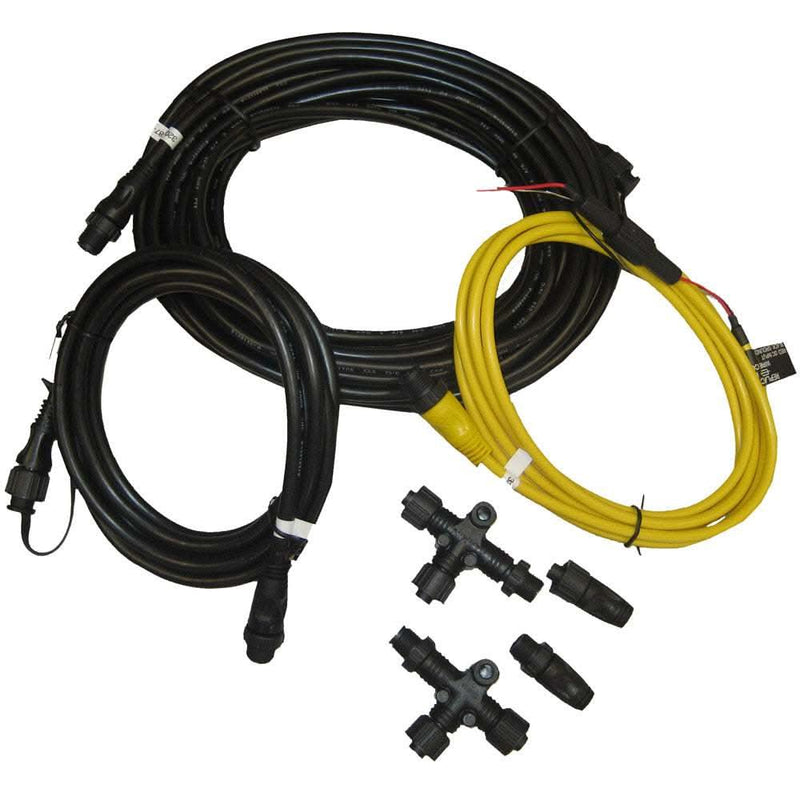
This is the kit to buy before you buy anything else on this list. It gives you a real backbone with a power injection point and terminators at both ends, which is the foundation every NMEA 2000 device plugs into. Even if the rest of your electronics are a different brand, standard NMEA 2000 connectors are compatible, and Garmin's kit is one of the most widely stocked starting points in North America.
- Includes
- Power cable, two 6 ft backbone/drop cables, two T-connectors, two terminators
- Connector type
- Garmin/NMEA 2000 standard (DeviceNet-style)
- Backbone length supported
- Up to ~100 m with proper drop lengths
- Power tap
- Included fused power cable for mid-bus power injection
Pros
- Everything needed to start a small backbone in one box — no guessing at part numbers
- Garmin-branded cables are readily available at any chandlery if you need to extend later
- Compatible with any NMEA 2000-certified device, not just Garmin gear
Cons
- Only enough cable and T's for a small starter network — larger boats will need extra drops and backbone sections
- Garmin's standard connector isn't the same shape as SimNet or SeaTalkNG, so mixed-brand networks need adapter cables
Actisense NGX-1 PC Gateway
Best for firmware updates and PC-based configuration
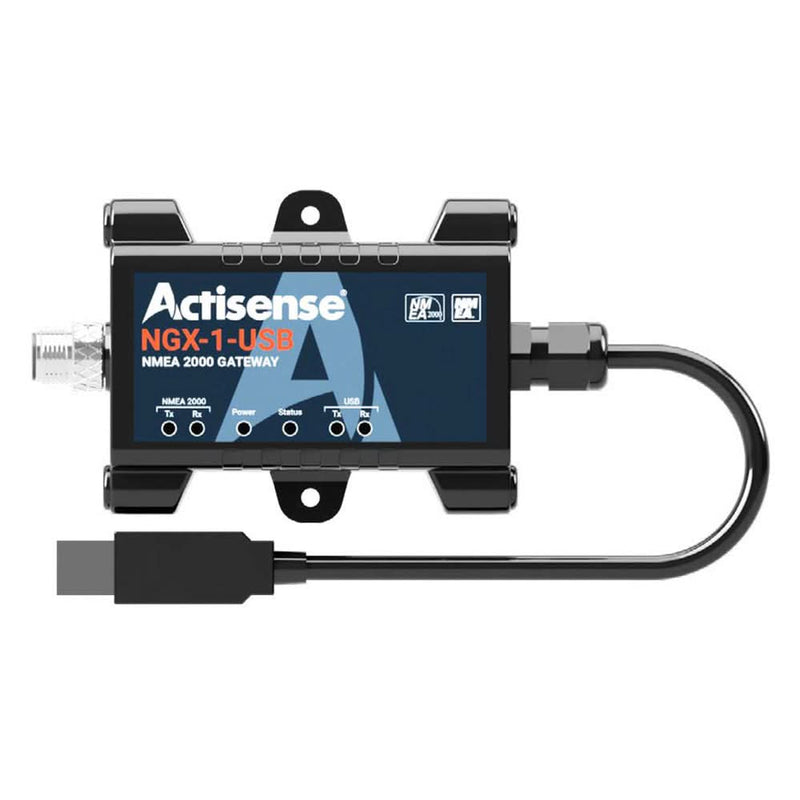
The NGX-1 is the tool a rigger reaches for when a network is misbehaving and nobody can tell why. Plugged into a spare backbone drop and a laptop, it shows every message on the bus in real time, which turns guesswork into a five-minute diagnosis. It also does the quiet, useful job of bridging older 0183 instruments — a masthead wind sensor, say — onto a new N2K network so you don't have to replace working hardware.
- Connection
- USB to NMEA 2000 backbone drop
- Protocol support
- NMEA 2000, NMEA 0183, and Seatalk1 bridging
- Bidirectional
- Yes — reads and writes to the bus
- Power draw
- Very low LEN load; powered mostly from USB
Pros
- Lets you view raw PGN traffic on a laptop, which is invaluable for diagnosing a flaky network
- Bridges legacy NMEA 0183 and Seatalk1 instruments onto a modern N2K bus
- Actisense's free software is well documented and widely used by installers
Cons
- Overkill if you just want a chartplotter and an autopilot talking to each other — this is a diagnostic and integration tool
- Requires comfort with PGN-level troubleshooting to get full value out of it

Yacht Devices YDWG-02 WiFi Gateway
Best for viewing nav data on a tablet or phone
Once you've got a working N2K backbone, this box is what makes it pay off at the nav table and in the cockpit. It repeats GPS position, depth, wind, and AIS targets to any tablet running a standard chart app over WiFi, which means a cheap Android tablet mounted at the helm becomes a real second chartplotter. It's a favorite of cruisers upgrading older boats incrementally rather than ripping out a whole helm at once.
- Interfaces
- NMEA 2000 in, WiFi out, plus NMEA 0183 and USB ports
- Output formats
- NMEA 0183 over TCP/UDP, SignalK-compatible
- App compatibility
- Works with most iOS/Android chart apps (Navionics, iNavX, etc.)
- Power
- Powered from the N2K bus; small LEN draw
Pros
- Turns any tablet into a redundant navigation display fed with real GPS, depth, and wind data
- Broad app compatibility because it speaks standard NMEA 0183 sentences over WiFi
- Compact, fits in a nav station or behind a panel with no fan or moving parts
Cons
- Adds a WiFi access point to the boat that needs a password and occasional reboot discipline
- Data logging and voyage-recording features require some setup time to be genuinely useful
Digital Yacht iKonvert
Best simple NMEA 2000-to-USB adapter
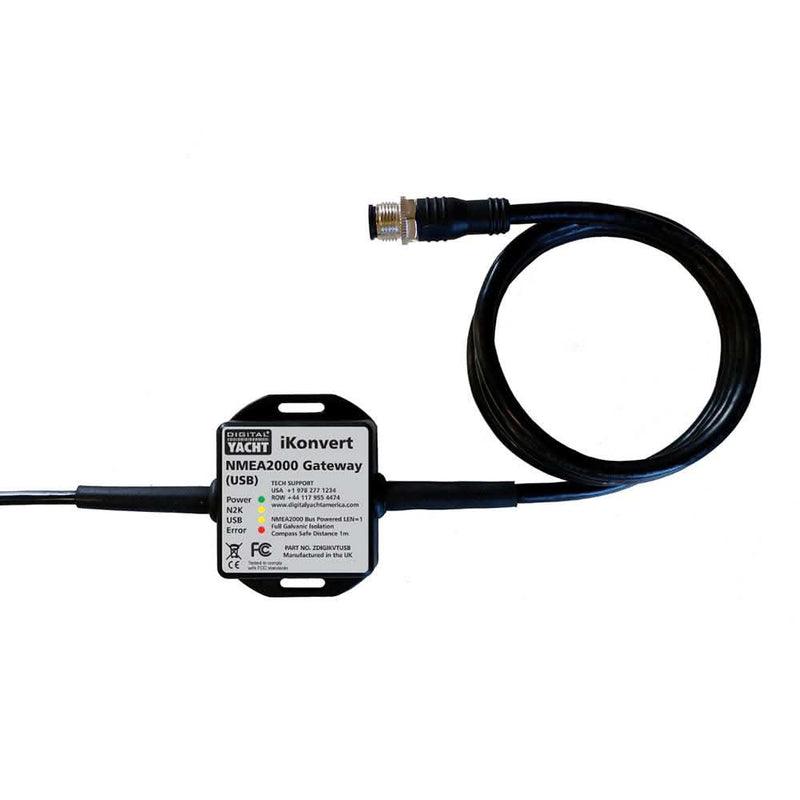
The iKonvert fills a narrower need than the NGX-1: getting live N2K data — GPS, depth, wind, engine data — into a laptop running chart plotting software, with as little fuss as possible. If your goal is a nav-station PC running OpenCPN as a backup plotter rather than deep bus diagnostics, this is the more affordable, more plug-and-play option.
- Connection
- USB to N2K drop cable
- Output protocol
- NMEA 0183 sentences over serial/USB
- Setup
- Plug-and-play with most nav software; minimal configuration
- Power
- Bus-powered, low LEN draw
Pros
- Simplest way to get N2K data into navigation software like OpenCPN without a full gateway
- Small and inexpensive relative to full multi-protocol gateways
- No drivers headaches on most recent Windows and Mac versions
Cons
- Read-only in most configurations — it won't let a PC write commands back to the bus the way the NGX-1 can
- Fewer diagnostic features than the Actisense units if you're troubleshooting rather than just displaying data
Actisense QNB-1 Quick Network Block
Best compact backbone block for tight installs
On boats where five or six devices all need to tap into the network within a couple of feet of each other — a typical nav station — stringing individual T-connectors quickly becomes an unmanageable knot of cable. The QNB-1 consolidates that into a single block, which is both cleaner to install and more reliable, since every additional connector pair is a future corrosion or vibration failure point waiting to happen.
- Ports
- 5-way network block combining T-connector functions
- Use case
- Consolidating multiple drops in a crowded panel or lazarette
- Termination
- Accepts standard N2K terminators at open ends
- Mounting
- Panel-mountable with screw terminals for some connections
Pros
- Solves the real problem of running out of physical space for a chain of individual T-connectors
- Keeps a messy multi-device installation (chartplotter, autopilot, instruments, AIS) tidy behind one panel
- Reduces the number of connector-to-connector joints, which is where corrosion problems usually start
Cons
- Adds cost versus just using more standard T-connectors if space isn't actually tight
- Still needs to be treated as part of the backbone for LEN and length-budget calculations
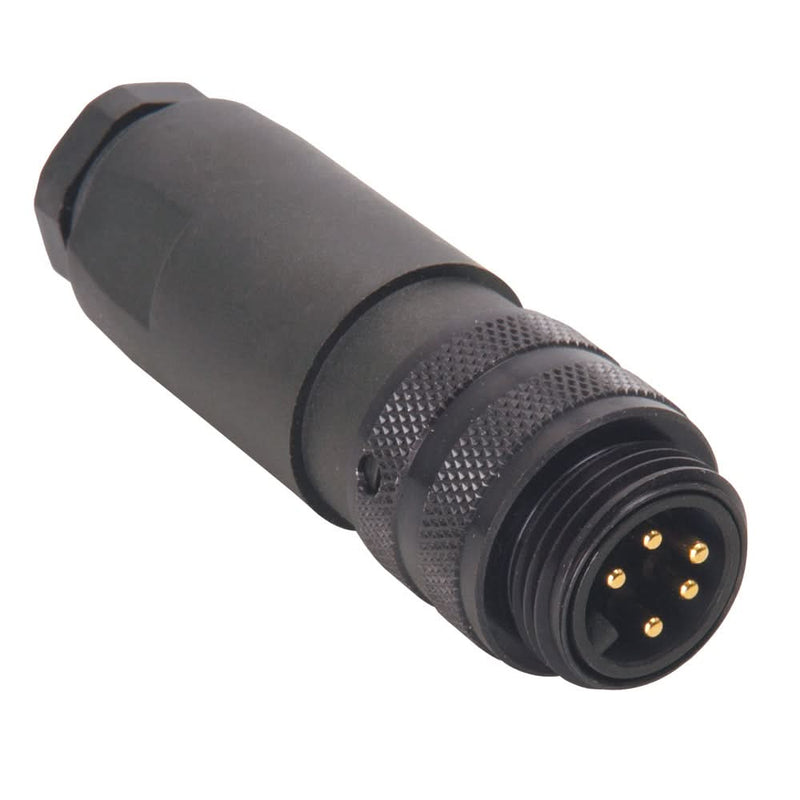
Maretron / Ancor Drop Cables & T-Connectors
Best generic parts for extending or repairing a backbone
Once the initial backbone is in, most future work is incremental: a new depth sounder here, a moved chartplotter there. These are the parts you keep on hand for that. Standard Micro-C connectors mean Maretron and Ancor cables thread into a Garmin or Actisense backbone with no adapters, and having a couple of spare drop cables and a terminator aboard turns a dead network into a five-minute fix instead of a haul-out problem.
- Lengths available
- Drop cables from 1 ft to 30+ ft; backbone cable sold by the foot
- Connector standard
- Micro-C (standard NMEA 2000 5-pin)
- Compatibility
- Interoperates with Garmin, Actisense, and other Micro-C brands
- Sold as
- Individual cables, T's, terminators, and power taps
Pros
- Lets you extend an existing backbone or add a drop without buying a whole new kit
- Maretron and Ancor parts are widely stocked, so a failed cable is a same-day fix in most marinas
- Standard Micro-C connectors mean these parts work alongside Garmin-branded cable already installed
Cons
- Buying piecemeal costs more per foot than a bundled starter kit if you're building from scratch
- Easy to end up with a drawer of assorted lengths if you don't plan the run before ordering
How to choose
Building an NMEA 2000 network is usually cheaper and less disruptive than it looks, provided you plan the backbone route and power budget before buying parts. Here's roughly how the pieces stack by budget:
| Tier | Typical spend | What you get |
|---|---|---|
| Starter | $100–$250 | Starter kit backbone, power tap, terminators — enough for a plotter, GPS, and depth/wind on a small boat. |
| Mid-range | $250–$600 | Extended backbone with additional drops, a WiFi gateway for tablet nav, spare cables and T's for future additions. |
| Full integration | $600–$1,500+ | PC gateway for diagnostics and 0183 bridging, dual power injection points, engine and battery-monitor integration, quick-network blocks for a tidy nav station. |
Plan your backbone route on paper first — mast base, nav station, engine room, lazarette — and count devices and their LEN ratings before ordering cable. It's far easier to buy the right lengths once than to extend a backbone mid-install because you ran short.
Frequently asked questions
Can I mix Garmin, SimNet, and SeaTalkNG devices on one network?
Yes. All three speak the same NMEA 2000 protocol underneath; the connectors just have different physical shapes. Adapter cables (Garmin-to-SimNet, SimNet-to-SeaTalkNG, etc.) are inexpensive and widely available, so mixed-brand networks are the norm rather than the exception on most cruising boats.
How do I know if my network has too many devices for its power supply?
Add up the LEN rating of every device on the bus (check each unit's manual) and compare it to your power source's rated LEN capacity, typically 50-60 LEN for a single injection point. If you're near or over the limit, add a second power injection point at the opposite end of the backbone rather than upsizing wire alone.
Where should I inject power into the backbone?
As close to the electrical center of the network as practical, ideally partway along the backbone rather than at one end, so voltage drop is shared in both directions. On a long backbone with devices at both a mast-top wind sensor and a stern-mounted autopilot, consider two power taps.
Do I need terminators at both ends even on a small network?
Yes, always. A backbone without a 120-ohm terminator resistor at each physical end causes signal reflections that produce intermittent, hard-to-diagnose dropouts — one of the most common NMEA 2000 wiring mistakes on small boats.
What's the difference between NMEA 2000 and a WiFi/Ethernet chartplotter network?
NMEA 2000 carries low-bandwidth data like GPS position, depth, wind, and engine parameters between simple sensors and displays. Ethernet, used between multifunction displays, radar, and sonar on larger setups, carries high-bandwidth data like radar returns and chart imagery. Most boats run both: NMEA 2000 for instruments, Ethernet for MFD-to-MFD and MFD-to-radar links.
Can I run NMEA 2000 cable next to AC wiring?
Avoid running N2K cable in the same conduit or bundled tightly with AC power cable over long distances — induced noise can corrupt data. Crossing AC wiring at a right angle is fine; running parallel to it for many feet is not.
Related guides
 Navigation
Best Boat Compasses: Steering and Handheld Picks
Card size, heel, mounting, lighting and deviation: choosing a magnetic compass for a sailboat.
 Navigation
Sailing Watches: Race Timers and Cruising Choices
Countdown controls, water resistance, readability and battery care: choosing a practical watch for racing and cruising.
 Navigation
Best Marine Binoculars for Sailing
Why 7x50 is the sailing standard, compass and stabilized binoculars, and our top picks at every budget.
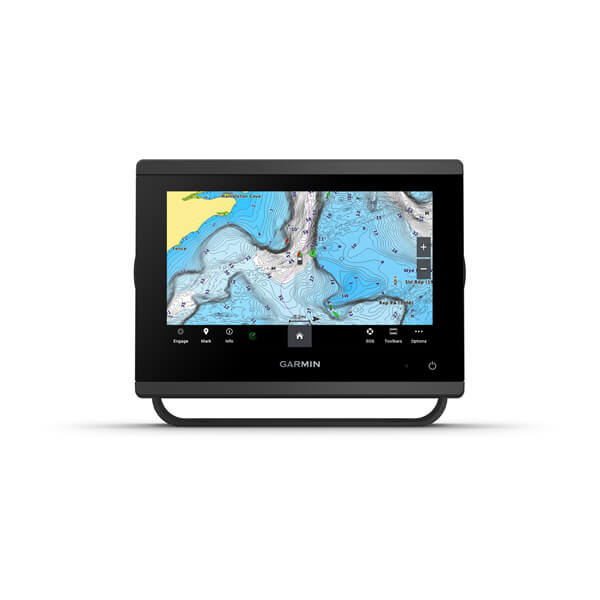 Navigation
Best Chartplotters for Sailboats
How to choose a chartplotter for cruising — screen size, charts, networking, and top picks at each budget.
Looking for more gear guides? Browse all our gear recommendations or the full guides index.